

• About Us

    About Us

    • Our Vision, Mission and Values
    • Board of Directors
    • Key Management Personnel
    • Global Offices
    • Key Achievements

    Sustainability

    • Sustainability Framework
    • Materiality Assessment
    • Sustainability Governance
    • Community Outreach
    • Mega Fortris Cares
  • Products

    By Type

    • Smart Security Solutions
    • High Security Seals
    • Security Seals
    • Indicative Seals
    • Security Tapes and Labels
    • Tamper-Evident Security Bags
    • Security Boxes
    • Reusable Security Bags
    • Racing Integrity

    By Industries

    • Airline
    • Banking
    • F&B
    • Government
    • Hospitality & Leisure
    • Logistics
    • Oil and Gas
    • Healthcare & Pharmaceutical
    • Retail
    • Utilities
  • Resources

    Product Resources

    • Datasheets
    • ISO17712 Certificates
    • Product Application Instructions
    • Product Brochure

    General Product Information

    • High Manufacturing Standards
    • ISO9001 and ISO14001
    • ISO17712
    • Biodegradable Seals
    • History of Bolt Seals
    • History of Cable Seals
  • Corporate Governance
  • Investor Relations
    • Investor Relations
    • Financial Reports
    • Stock Information
    • Announcements
  • News
    • News
    • Use Cases
  • Contact Us
    • Contact Us
    • Career With Us
  • About Us

    About Us

    • Our Vision, Mission and Values
    • Board of Directors
    • Key Management Personnel
    • Global Offices
    • Key Achievements

    Sustainability

    • Sustainability Framework
    • Materiality Assessment
    • Sustainability Governance
    • Community Outreach
    • Mega Fortris Cares
  • Products

    By Type

    • Smart Security Solutions
    • High Security Seals
    • Security Seals
    • Indicative Seals
    • Security Tapes and Labels
    • Tamper-Evident Security Bags
    • Security Boxes
    • Reusable Security Bags
    • Racing Integrity

    By Industries

    • Airline
    • Banking
    • F&B
    • Government
    • Hospitality & Leisure
    • Logistics
    • Oil and Gas
    • Healthcare & Pharmaceutical
    • Retail
    • Utilities
  • Resources

    Product Resources

    • Datasheets
    • ISO17712 Certificates
    • Product Application Instructions
    • Product Brochure

    General Product Information

    • High Manufacturing Standards
    • ISO9001 and ISO14001
    • ISO17712
    • Biodegradable Seals
    • History of Bolt Seals
    • History of Cable Seals
  • Corporate Governance
  • Investor Relations
    • Investor Relations
    • Financial Reports
    • Stock Information
    • Announcements
  • News
    • News
    • Use Cases
  • Contact Us
    • Contact Us
    • Career With Us
Get A Quote

Getting started

  • What is an RTL?
  • What is the iMSense device
  • How do I turn on my iMSense RTL?
  • How do I mount my iMSense RTL?
  • How do I turn off my iMSense RTL?
  • What does everything on my iMSense RTL display screen mean?
  • How do I login to the dashboard?
  • How do I create a Shipment?
  • How do I assign my iMSense RTL to a shipment?

Guides

  • Quick Start Guide
  • How-to Guide
  • Display Screen Guide
  • iMSense RTL Specification Sheet
  • How do I login to the dashboard?
  • Setting up your Alert Parameters
  • How do I view my iMSense RTL data in the dashboard?
  • How do I download reports from the dashboard?

Troubleshooting

  • My iMSense RTL device wont turn on.
  • My iMSense RTL device isn’t showing up on the dashboard.
  • My iMSense RTL is not connected to my shipment
  • How do I get to the dashboard?
  • How do I log out of the Dashboard?
  • My password isn’t working

FAQs

  • What does my iMSense RTL Monitor?
  • Charging your iMSense RTL
  • Where can I get a calibration certificate for my iMSense RTL?
  • I see a blinking red light on my iMSense RTL
  • What is the QR code on my iMSense RTL used for?
  • How do I mount my iMSense RTL?
  • What does the barcode mean on my iMSense RTL device?
  • What is the IP Rating of my iMSense RTL?
  • How much internal memory does my iMSense RTL device have?
  • Is my iMSense RTL multiple-use or single-use?
  • What are the dimensions of my iMSense RTL?
  • How do I discard/dispose of my iMSense RTL?
  • What happens if I push the Start button on my iMSense RTL more than once?
  • How can I stop recording on my iMSense RTL?
  • Warranty
  • Is my iMSense RTL European Union certified?
  • Is my iMSense RTL United States certified?
  • What happens if I press STOP on my iMSense RTL mid-shipment?
  • Recharging my iMSense RTL
  • Is my iMSense RTL compliant?
  • How do I pause my iMSense RTL?
  • What battery is inside my iMSense RTL?
  • Can my iMSense RTL be sent via airfreight?
  • Where do I put my iMSense RTL in my cargo?
  • What happens if my iMSense RTL loses connection?
  • How much does my iMSense RTL weight?
  • Does my iMSense RTL use a sim card?
  • How long is the battery life on my iMSense RTL?
  • Can my iMSense RTL function in extreme cold or hot environments?
  • I see that “powered by Frigga” is on the iMSense RTL label. What is the connection?
  • How do I set up a location in the dashboard?
  • What is the difference between Recording and Reporting?
  • What is my waybill number?
  • How do I login to the dashboard?
  • How do I change my shipment status on the dashboard?
  • What is the alarm icon for?
  • How do I get to the dashboard?
  • How do I log out of the Dashboard?
  • Where do I find my waybill?
  • How do I create a Shipment?
  • How do I see my shipments?
  • How do I download reports from the dashboard?
  • How do I search for my RTL iMSense?
View Categories
  • Home
  • Support
  • Guides
  • Quick Start Guide

Quick Start Guide

< 1 min read

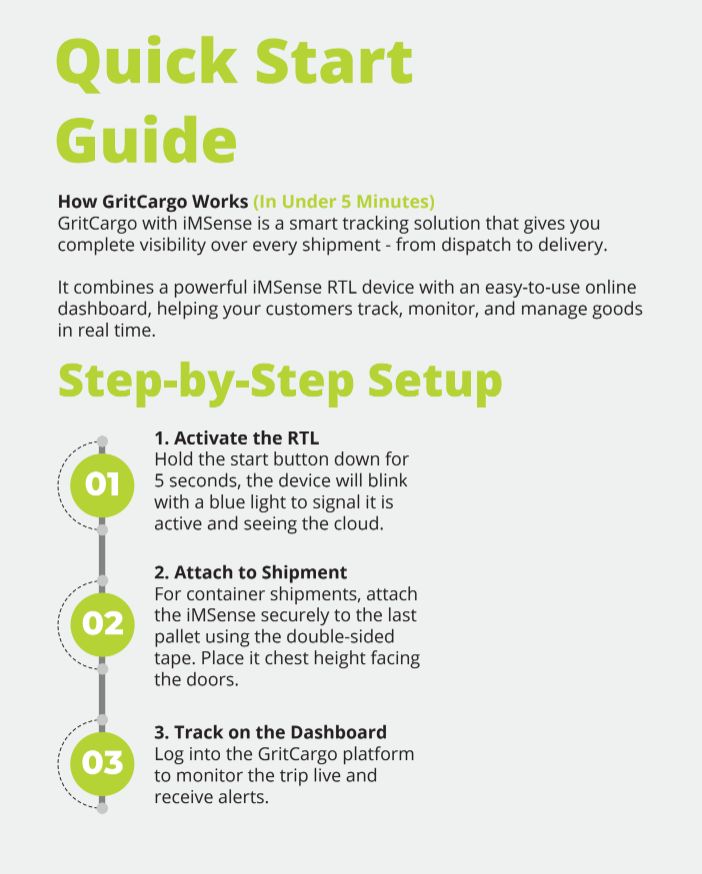
Step 1: Activate the iMSense RTL

Hold the START button down for 5 seconds.

A blue light will blink showing it is active.

Step 2: Attach to Shipment
For container shipments: attach iMSense RTL securely to the last pallet using double-sided tape.
Place it chest height facing the doors.

Step 3: Track on the Dashboard
Log into the GritCargo platform to monitor the trip live and receive alerts.
iMSense RTL

Was this information helpful?

  • Happy
  • Normal
  • Sad

Share This Article :

  • Facebook
  • X
  • LinkedIn
How do I download reports from the dashboard?How-to Guide

Quick Links

  • Global Offices
  • About Us
  • Product Resources
  • Latest News
  • Download Product Brochure

Useful Links

  • Get A Quote
  • Corporate Governance
  • Investor Relations
  • Terms & Conditions
  • Privacy Policy
  • Cookies Policy

Get In Touch

  • +60 3 5122 6118
  • [email protected]
  • Enquiry Form
  • No. 29, Jalan Anggerik Mokara 31/47, Kota Kemuning, Seksyen 31, 40460 Shah Alam, Selangor, Malaysia
Asia Pacific | Americas | Europe | Middle East | Africa

© 2026 MEGA FORTRIS BERHAD (REGISTRATION NO. 199801004408 (460535-H)). All RIGHTS RESERVED.

PREVENTION, PROTECTION, PEACE OF MIND

  • About Us
    • Our Vision, Mission and Values
    • Board of Directors
    • Key Management Personnel
    • Global Offices
    • Key Achievements
    • Sustainability
      • Sustainability Framework
      • Materiality Assessment
      • Sustainability Governance
      • Community Outreach
      • Mega Fortris Cares
  • Products
    • By Type
      • Smart Security Solutions
      • High Security Seals
      • Security Seals
      • Indicative Seals
      • Security Tapes and Labels
      • Tamper-Evident Security Bags
      • Security Boxes
      • Reusable Security Bags
      • Racing Integrity
    • By Industry
      • Airline
      • F&B
      • Government
      • Hospitality & Leisure
      • Logistics
      • Oil and Gas
      • Pharmaceutical
      • Retail
      • Utilities
  • Resources
    • General Product Information
      • Product History
        • History of Cable Seals
        • History of Bolt Seals
      • High Manufacturing Standards
      • ISO9001 and ISO14001
      • ISO17712
      • Biodegradable Seals
    • Product Resources
      • Datasheets
      • ISO17712 Certificates
      • Product Application Instructions
      • Product Brochure
  • Corporate Governance
  • Investor Relations
    • Investor Relations
    • Financial Reports
    • Stock Information
    • Announcements
  • News
    • News
    • Use Cases
  • Contact Us
    • Contact Us
    • Career With Us